A diary that adds up
Log foods and meal portions, follow calories and macros against your targets, and zoom out to day, week, or month summaries.
 MacrOrbit
A local-first Android app
Make sense of your day, from the first coffee to the last bite. Track food, follow your macros, and plan meals with MacrOrbit.

iPhoneComing soon
Everyday tracking works offline. Your data stays with you.
1,460 / 2,100 kcal
Your daily pictureCalories, macros, water, weight & supplements
Less repeat workSave foods. Reuse meals. Plan ahead.
Local by designOffline tracking & on-device photo reading
Log foods and meal portions, follow calories and macros against your targets, and zoom out to day, week, or month summaries.
Photograph a nutrition label and let on-device AI read it. Review the values before saving. You can always enter food manually, too.
Plan breakfast, lunch, dinner, and snacks with saved meals, fractional portions, or a simple note. Leave a gap when life is less planned.
Build reusable meals from your foods, set the batch yield, and log just the portion you eat. Start with an ingredient photo when that’s easier.
Track water with quick bottle taps and custom amounts. Keep weigh-ins together and follow weight trends in Progress.
Export foods, meals, diary entries, plans, and targets in a backup, including saved meal photos. Restore when you need to.
On your device
Your food history, label images, meal photos, and backups live on your device. MacrOrbit reads nutrition labels and ingredient photos there, too, without uploading them.
Read the privacy policyYes. MacrOrbit is built for Android phones and larger Android screens. An iPhone version is coming soon. This website introduces the app; it isn’t a browser-based food tracker.
Everyday food logging, saved meals, meal planning, and nutrition summaries work offline. Photo reading works on-device once the AI model is installed. Features that look up online information, such as a new barcode lookup, need a connection.
No. You can enter foods manually and build meals from your saved foods. Label and ingredient-photo reading are optional ways to get started, and you review their results before saving.
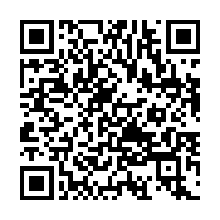
Open MacrOrbit on Google Play on your Android device, or scan the QR code in the download section. If the listing isn’t available to you, contact Stormkind Studio for help with current availability.
Take your food diary, saved meals, and weekly plans with you.
iPhoneComing soon
Listing not available to you? Get in touch for current availability.